
Skip to content

From customer requirement to working report.

Landit Query Builder gives you the tools to find, combine and shape data from your customer's connected systems into reporting tailored to their business requirements.

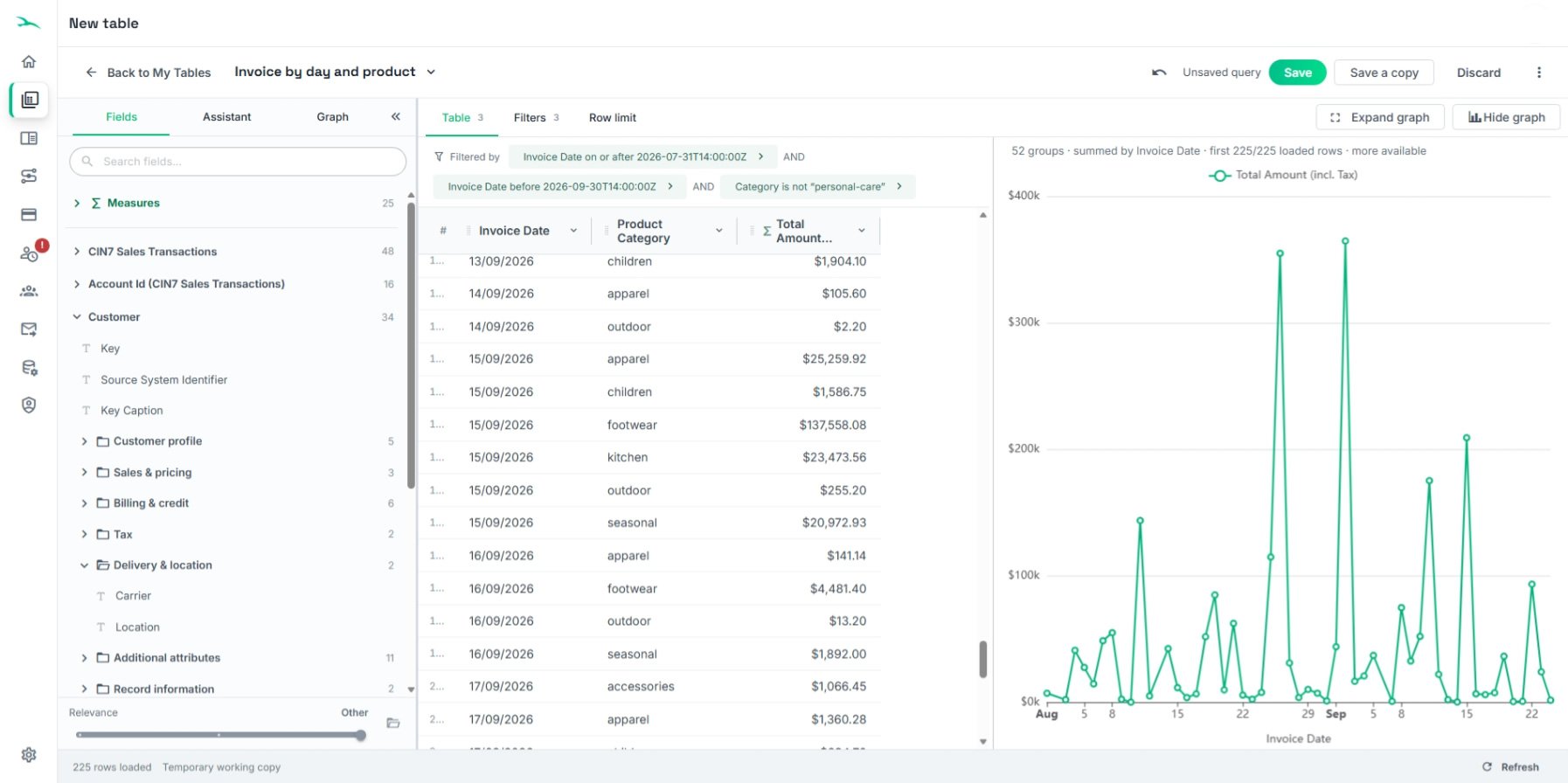
table_designer

Start with the requirement, not the data structure

Your customer knows what they need to report. Query Builder gives you the tools to turn that business requirement into the data, filters and presentation needed to answer it.

Start with an existing Landit report and adapt it, or create a new query around a specific customer requirement. When you're ready, turn the query into an Excel report with a click.

  1. Customer requirement

    What do they need to know?

  2. Find the data

    Identify the relevant datapoints.

  3. Build the query

    Select, filter and shape the data.

  4. Create the report

    Deliver it into Excel.

Find and shape the data you need

Query Builder gives you direct access to the data available through the customer's Landit connections, so you can select the datapoints needed for their reporting requirement and shape the result into a useful report.

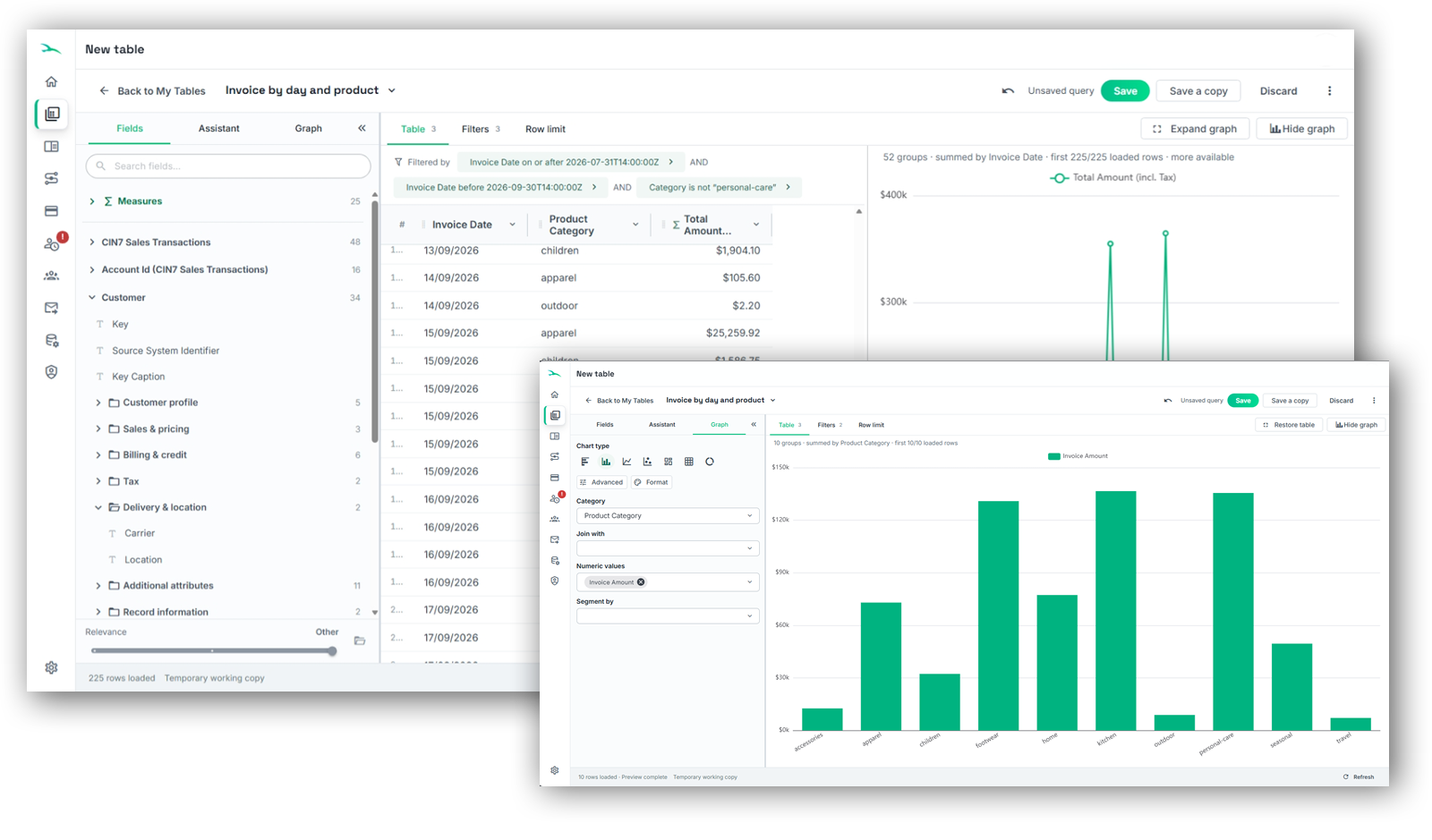
Choose the data you need, apply filters and configure the query around the customer's requirements. Add charts where they help communicate the result, then create the finished report in Excel.

  • Choose the right data

    Select the datapoints required for the customer's reporting requirement.

  • Shape the result

    Apply filters and configure the query around what the customer needs to see.

  • Build the presentation

    Add charts where appropriate before creating the report in Excel.

querybuilder_wgraphs

Just tell Assistant what you need

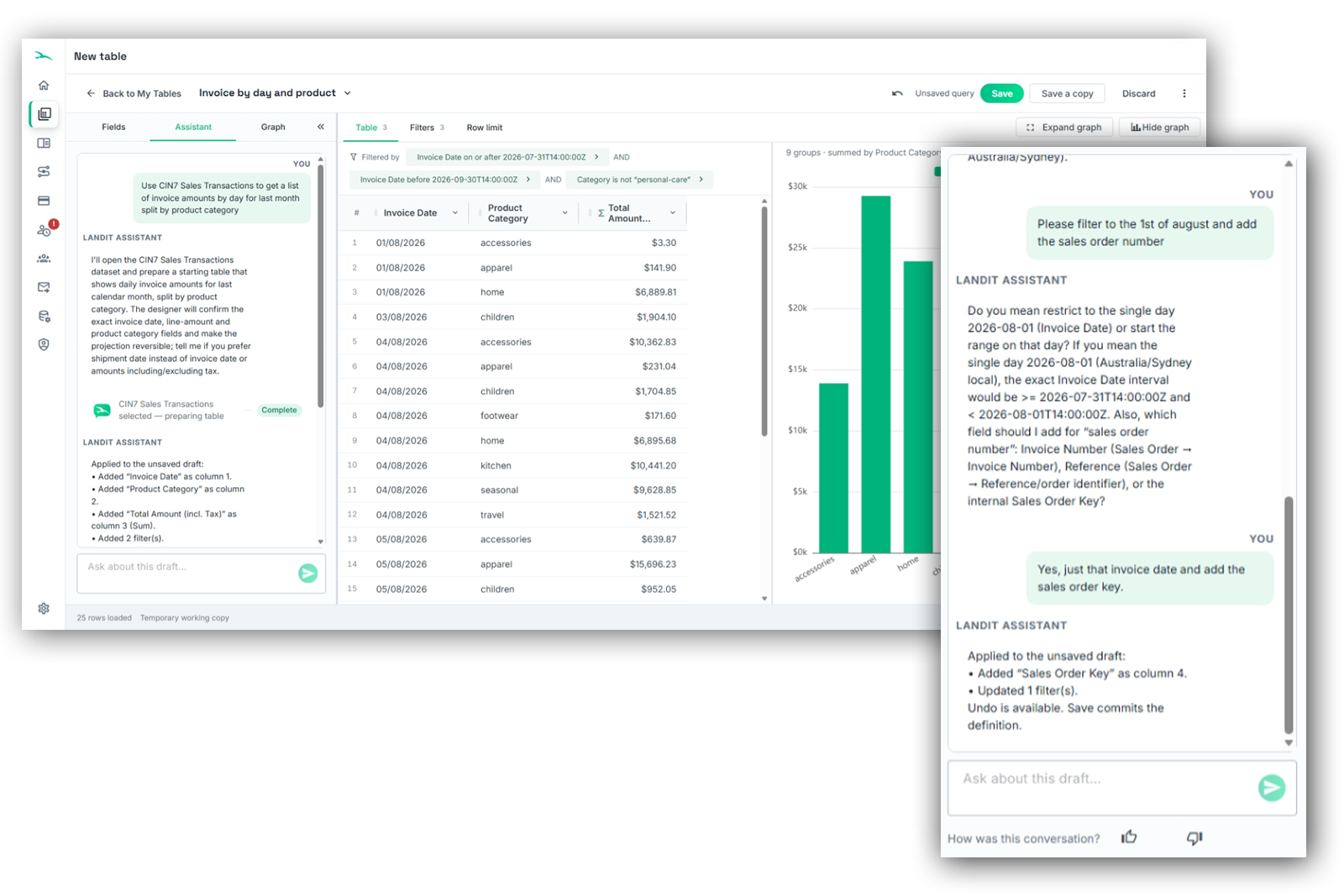
Assistant works inside Query Builder, giving you a conversational way to turn a customer's reporting requirement into the query you need.

That means you can focus on understanding the customer's requirement rather than first having to learn where every datapoint lives or how to construct the query manually.

  • Build the query

    Describe what the customer needs to report in everyday language and Assistant can build the query for you. Ask it to change or refine the query as the requirement develops.

  • Find the right data

    Know what the customer needs but not where to find it? Ask Assistant to identify the relevant datapoint without searching through complex source-system data structures.

querybuilder_assistant

Start from what's already there

Landit's growing report library gives you ready-made reporting you can use as delivered or as a starting point for customer-specific requirements.

Where an existing report gets you part of the way there, open it in Query Builder and adapt the data, filters and presentation rather than building the report again.

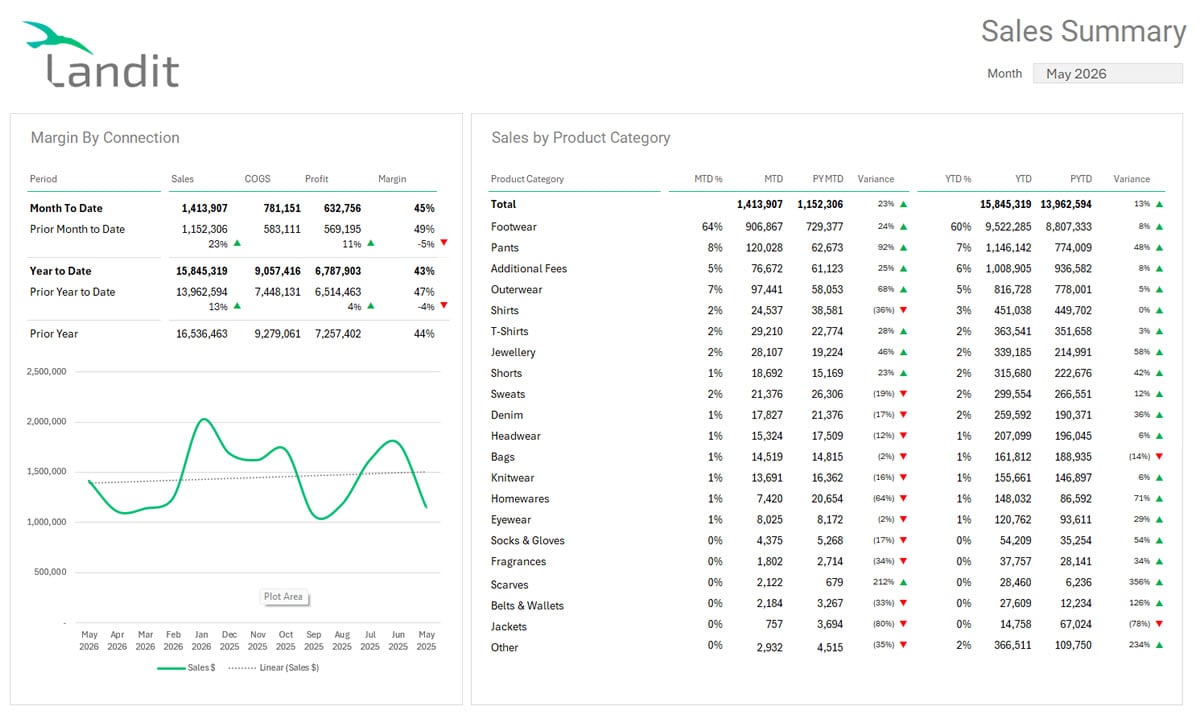
sales_summary

Sales Performance

Which products are driving your sales, and which are holding back performance? Landit's Sales Performance report gives you a clear view of revenue, profitability and gross margins across product categories and brands, with month-to-date and year-to-date comparisons that reveal where your business is gaining or losing ground.

Go beyond the latest month's results with 24 months of sales and margin trends, helping you identify seasonal patterns, emerging opportunities and changes in profitability over time. 
deferred_revenue

Revenue Recognition

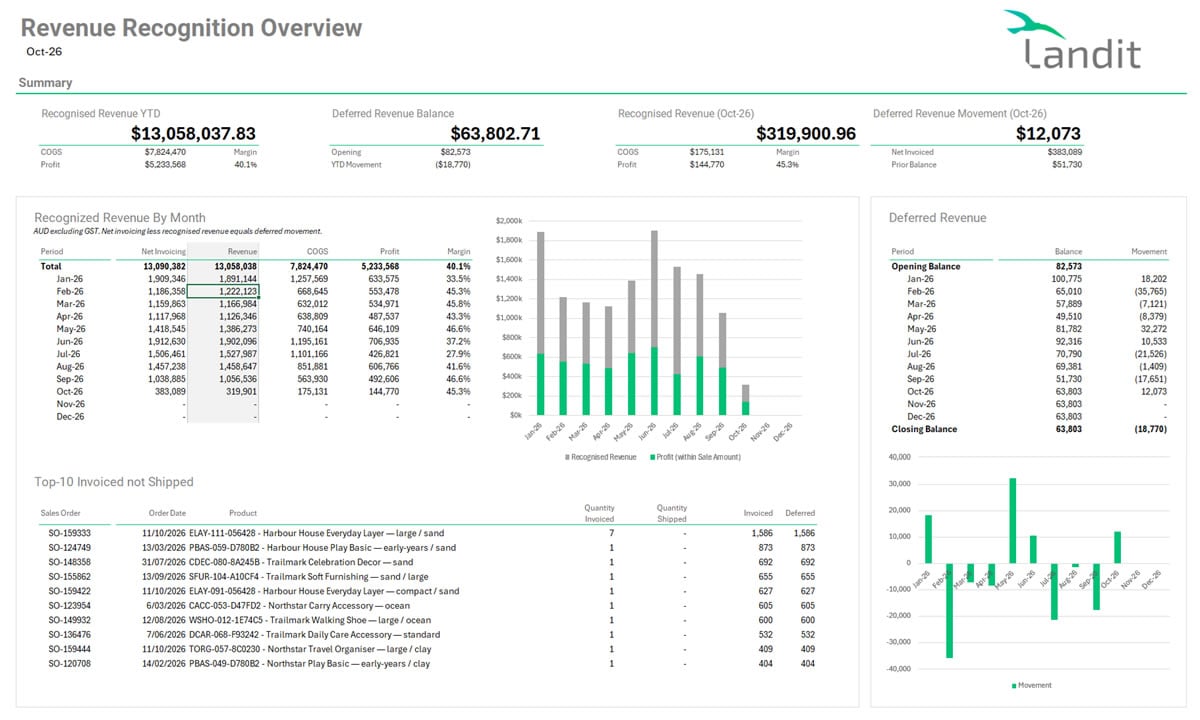
Are you reporting profits you haven't actually earned yet? In CIN7 Core, invoicing and shipping can fall into different accounting periods, meaning sales revenue is recognised before the associated Cost of Goods Sold (COGS). This can inflate reported profits, distort gross margins and leave finance teams struggling to understand their true financial performance.

Landit's Revenue Recognition report identifies these timing differences, tracks deferred revenue and highlights transactions requiring review.  

We'll get you up to speed

Landit SIPs receive direct training in Query Builder, including creating and customising reports for customer requirements.

Remind BI is also available when you need help with more complex reporting requirements.

Query Builder FAQs

Do I need to know SQL or programming to use Query Builder?

No. Query Builder provides a visual interface for selecting data, configuring filters and building queries without writing SQL or code.

You can also use Landit's Assistant to describe what you want in everyday language and have it help build or change the query.

Can I create a completely new report using Query Builder?

Yes. You can create a query around a specific reporting requirement by selecting the relevant datapoints, applying filters and configuring the results.

When the query is ready, you can create the report directly in Excel.

Can I add charts to reports using Query Builder?

Yes. Query Builder supports adding charts to help present and communicate the results.

You can configure the query and its charts before creating the report in Excel, where you can continue working with Excel's own charting and formatting tools.

What can Landit's Assistant do in Query Builder?

Assistant helps with two main tasks:

  • Build or change queries: Describe the report you need in everyday language and Assistant can help create or refine the query.
  • Find datapoints: Ask Assistant to identify the data you need without manually searching through complex source-system data structures.

Assistant works directly within Query Builder.

Can Query Builder work with data from multiple connections?

Query Builder gives you access to data available through the customer's Landit connections, including multiple instances of supported business systems.

You can select the relevant data for reporting requirements that involve those connections.

Can I make a Query Builder table available to Power BI or other applications?

Yes. Create a table using Landit Excel or the full-screen Query Builder, save it to My Table List, then submit it for publication as a custom OData endpoint.

This allows Power BI and other compatible data consumers to access the defined dataset rather than the broader underlying Landit data model.

See how Query Builder could work for your customer requirements

Talk to us about Landit, see Query Builder in action and explore how it could fit the customers and solutions you support.